DFYCollect · Available now
Every document in the evidence, found and accounted for.
DFYCollect turns a pile of custodian data — mailboxes, shared drives, zip files — into a numbered production set, and tells you exactly what it couldn't read.
It runs on your own computers. What it produces loads into almost any review platform, or into DFYAI or DFYReview.
See it in action
DFYCollect in a minute
A short narrated tour, run on the Springfield demo collection.
Why one tool
One tool instead of three
That work usually takes three tools and a week of coordination. Here it's one.
The documents that matter are usually buried deepest: an attachment, inside a zip file, inside an email, inside a 47 GB mailbox. DFYCollect opens all of it, however deep, and treats every item it finds as a document with its own dates, text and family — with nothing to export and re-import, no reprocessing to change a search, and no two systems arguing about what counts as a document.
Start to finish
How a matter runs
In the order the work happens. Each step writes its own report as it finishes.
Identify what to search
Point it at the folders, shared drives and mailboxes where the evidence already sits. It opens every mailbox, zip file and attachment, fingerprints each file, and keeps the full text of every document, not just the matches.
Find what's responsive
Your search terms and date range are applied as each document is read. Matches come out with their whole family, so no attachment arrives without its email.
Make scans searchable
Scans, photos and faxes have no text, so no search can find them. DFYCollect reads them, and doesn't re-read identical copies.
Search again in minutes
New terms next month? It searches the text it kept: 1.2 million documents in five and a half minutes, instead of repeating a three-and-a-half-hour collection.
Produce
A numbered set with a standard load file, the native files, their text and a metadata spreadsheet, ready for opposing counsel, DFYAI or almost any review platform. Emails and their attachments are numbered together.
Into DFYReview
Tick Prepare for DFYReview and the same set opens in DFYReview knowing more about each document: where it was found, its dates with their time zones, and how its text was read.
The application
What it looks like
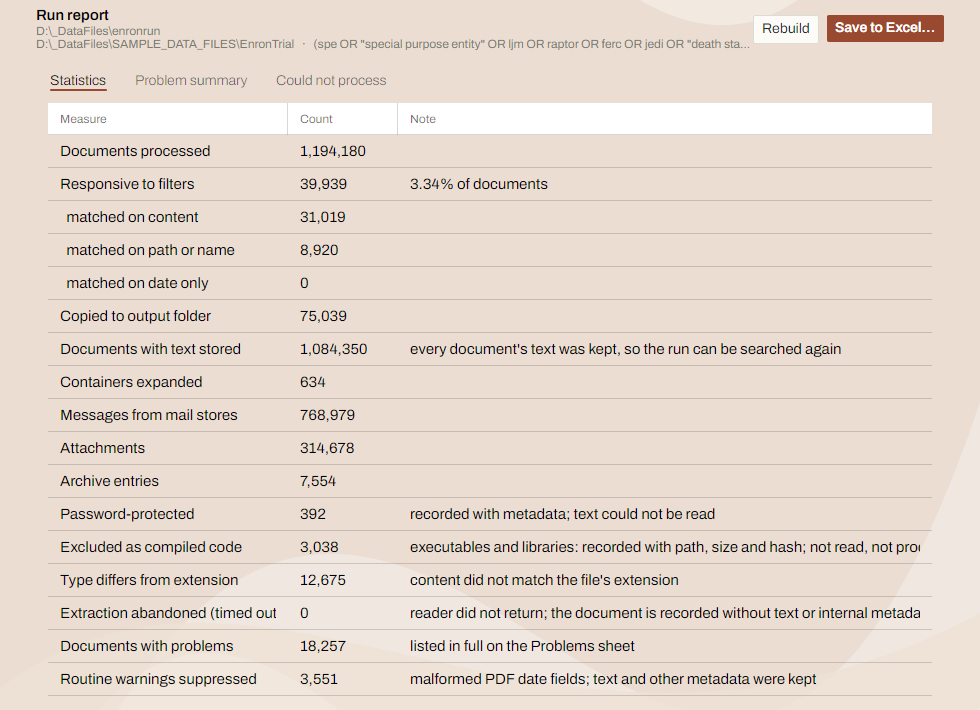
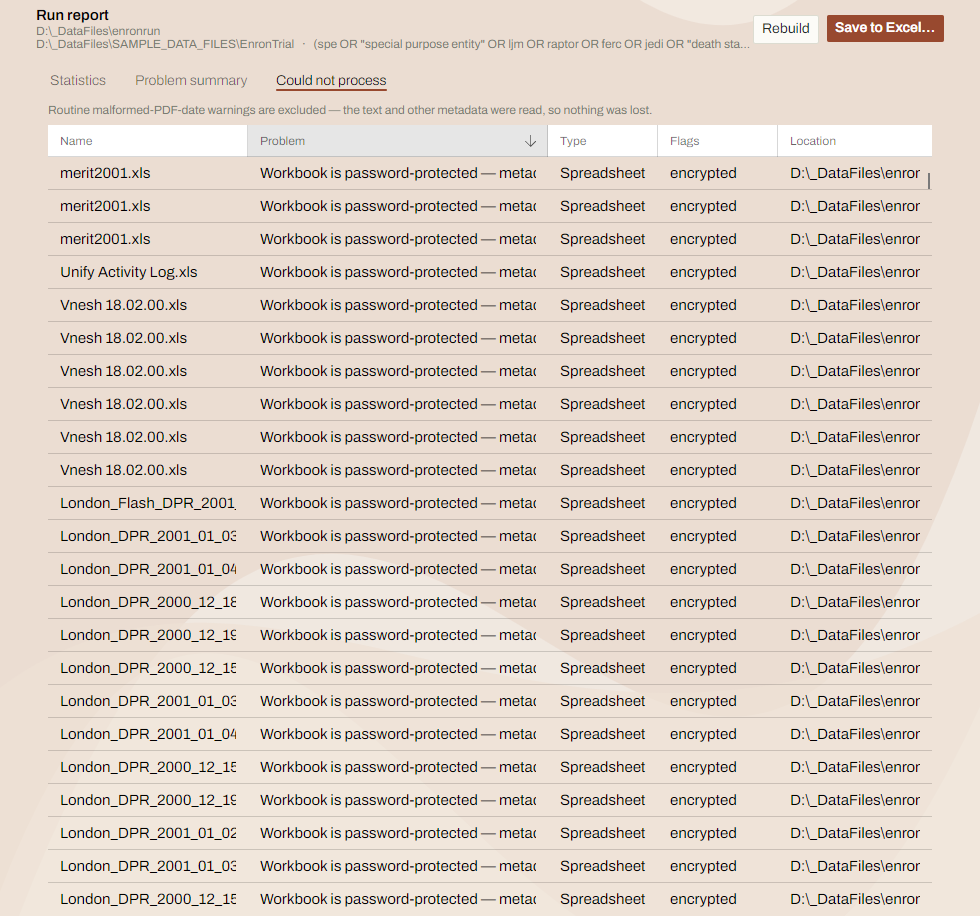
Every option is a decision the run records, so a collection can be explained afterwards rather than only described. Click a picture for the whole screen.
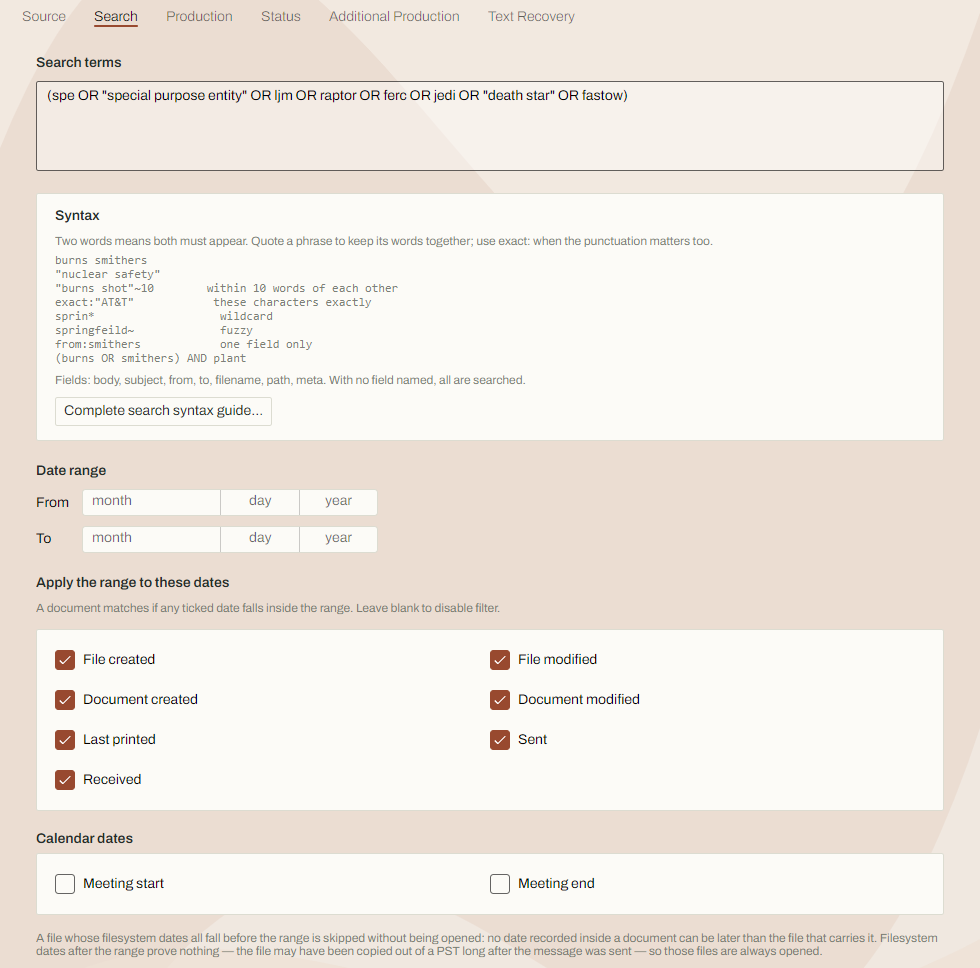
exact:"…" where the punctuation matters. The date range says which of a
document's dates it is tested against.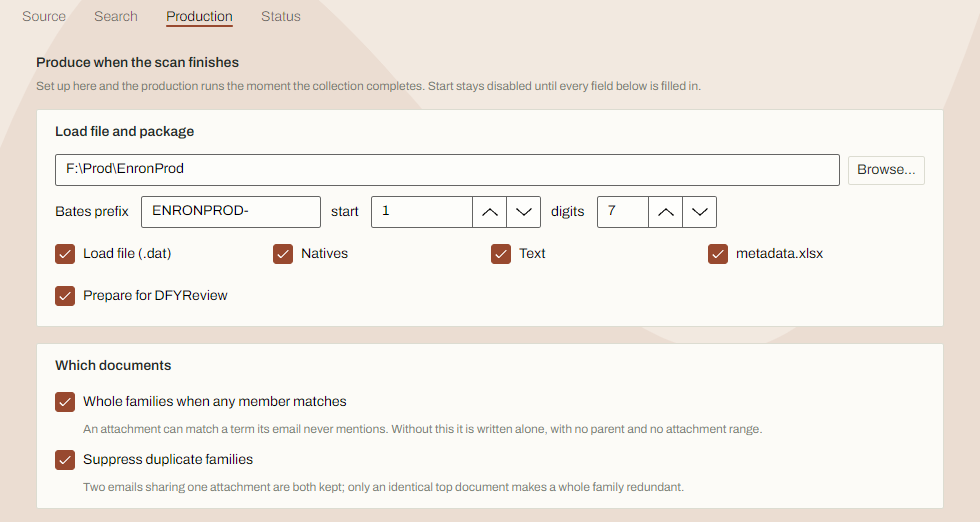
Measured on the same collection
The numbers behind the claims
From the run above, as the application reported them.
Search it again
5.5 minutes
to search all 1,194,180 documents for a new term
The first pass took three and a half hours. The text was kept, so a new set of terms is a query — and the 109,830 documents with no stored text are counted, not skipped quietly.
Scans made searchable
9,067 of 42,853
documents with no text that needed reading
The other 33,786 are identical to one of those and take its text rather than being read again, so four fifths of the work is gone before it starts — and the screen says so.
Gaps counted
18,257
documents with problems, in a run with no errors
An error is the tool failing; a problem is a document it couldn't fully read. Keeping them apart is how a collection avoids silent holes, and every one is listed.
What you can stand behind
Proof you didn't miss anything
A run that quietly skipped four thousand unreadable PDFs looks identical to one that read them all — unless the gaps are reported.
Every file accounted for
Documents that could not be read are recorded against the reason, counted, and listed in the run report with their location. Files deliberately excluded — compiled code, for instance — are recorded too, rather than silently passed over.
Every decision recorded
Each document stores why it was responsive: its dates, its path, or its content.
Never quietly incomplete
DFYCollect checks its licence before every run, and that a test document comes back whole — and refuses to start rather than produce a set that looks complete and isn't.
Duplicates are not lost
Only an identical top-level document makes a family redundant, and what is suppressed records every other place it was found, so the receiving party is told where the copies were.
Two ways in
Run it your way
Same engine, same results, with a window or without one.
A desktop application
For setting a matter up, watching it run, and working with the results: the source, the terms, the production, live status, searching a finished collection again, and text recovery.
A command line
For everything that should not need a person. The window saves its settings as a job file; a scheduler runs it overnight, and each step writes its own report as it finishes.
> DFYCollect check F:\Prod\EnronOut-job.json

Job file    F:\Prod\EnronOut-job.json
Output      F:\Prod\EnronOut
Database    F:\Prod\EnronOut\dfycollect.db
Steps       process → produce
Terms       (spe OR "special purpose entity" OR ljm
             OR raptor OR ferc OR jedi OR "death star"
             OR fastow)

Ready to run.
check reads the licence and the
job file, says what the run would do, and exits. It warns weeks before the licence runs out
and won't run without one.> DFYCollect help
run <job.json> process, then recover text
and produce if asked
process <job.json> one step on its own
recover <job.json>
produce <job.json>
check [job.json] the licence and a job file
licence the licence alone
example a job file with every section
Exit codes: 0 done, 1 failed, 2 bad usage,
3 bad job file, 4 unlicensed, 5 stopped.
4 was refused for a licence and is worth an alert; 5 means
somebody pressed Ctrl+C and the run can carry on where it stopped. Both blocks are real
output, wrapped and shortened to fit.Evaluating it properly
How it works, and its limits
The technical page covers what DFYCollect does with every document, the measured throughput, and a section called Current limits, stated plainly.