DFYReview · Early access
Document review that runs on local computers.
DFYReview is review without a server: search, read, code and produce on the computers your team already has.
Load a production you made with DFYCollect, or one you received — any standard load file, with its images, natives and text — and start reviewing right away.
See it in action
DFYReview in a minute
A short narrated tour, run on the Springfield demo collection.
Nothing to install
One computer, or a team
No database to set up, no server to rent and nothing to configure. A matter is a folder on the computer that holds it.
On your own computer
Copy the folder or run the installer, and DFYReview opens in its own window. Load a production and start reviewing.
As a team
One computer shares its matters on the office network. Colleagues join it with a code and their own account, and see only the matters they are given. Everyone codes at once, and a change made by someone else is never silently overwritten.
Start to finish
How a review runs
From a production arriving to a production going out, in one program.
Load
DFYCollect's production, or another party's Concordance or CSV load file with its page images, natives and text. Each native is checked against the producing party's hash. Where no text came, DFYReview reads it from the native or the pages, and says which.
Search
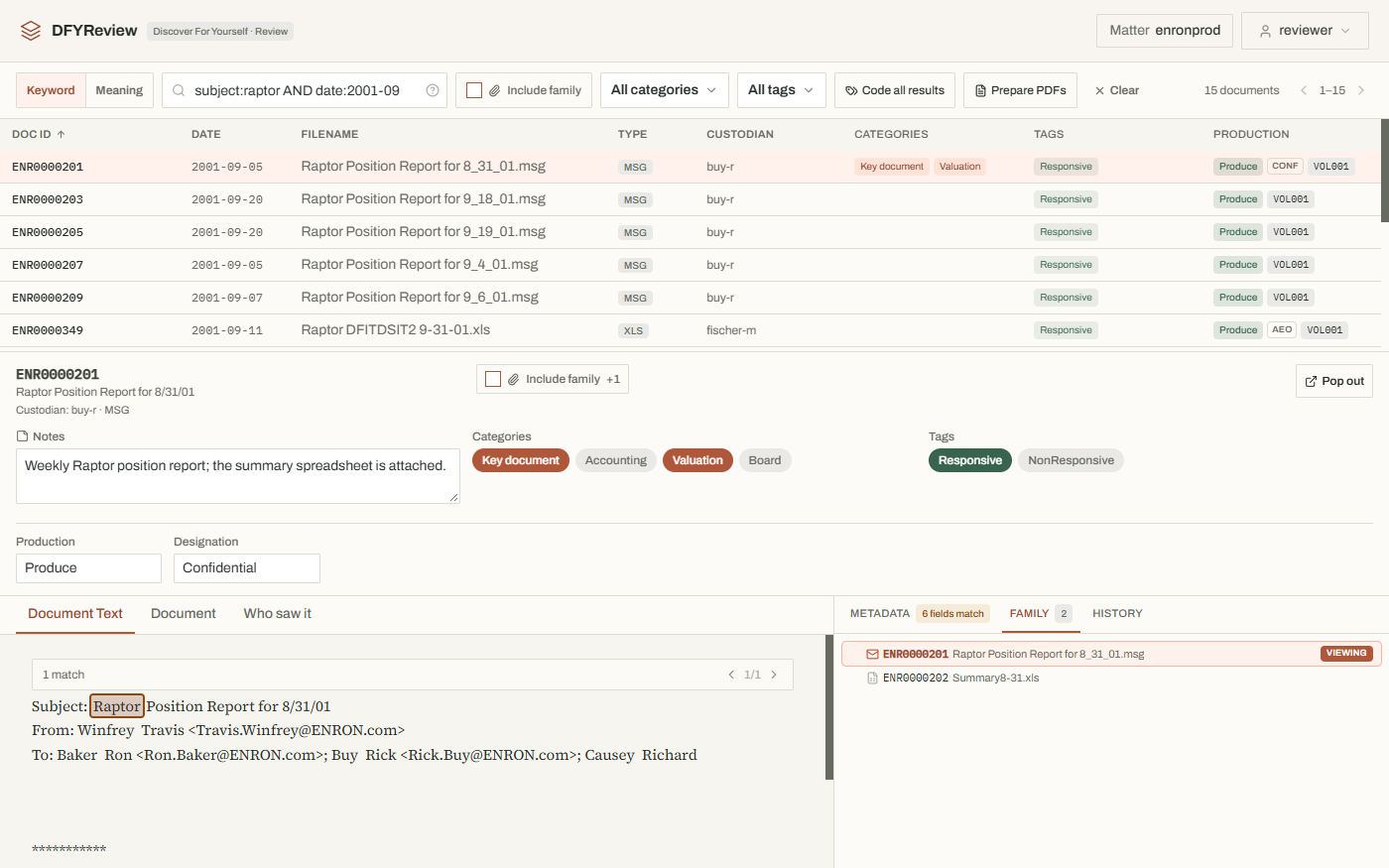
Keywords in the same syntax DFYCollect collects with, so a search means the same in review as it did in collection: fields, date ranges, phrases, and every load-file column by its own name.
Search by meaning
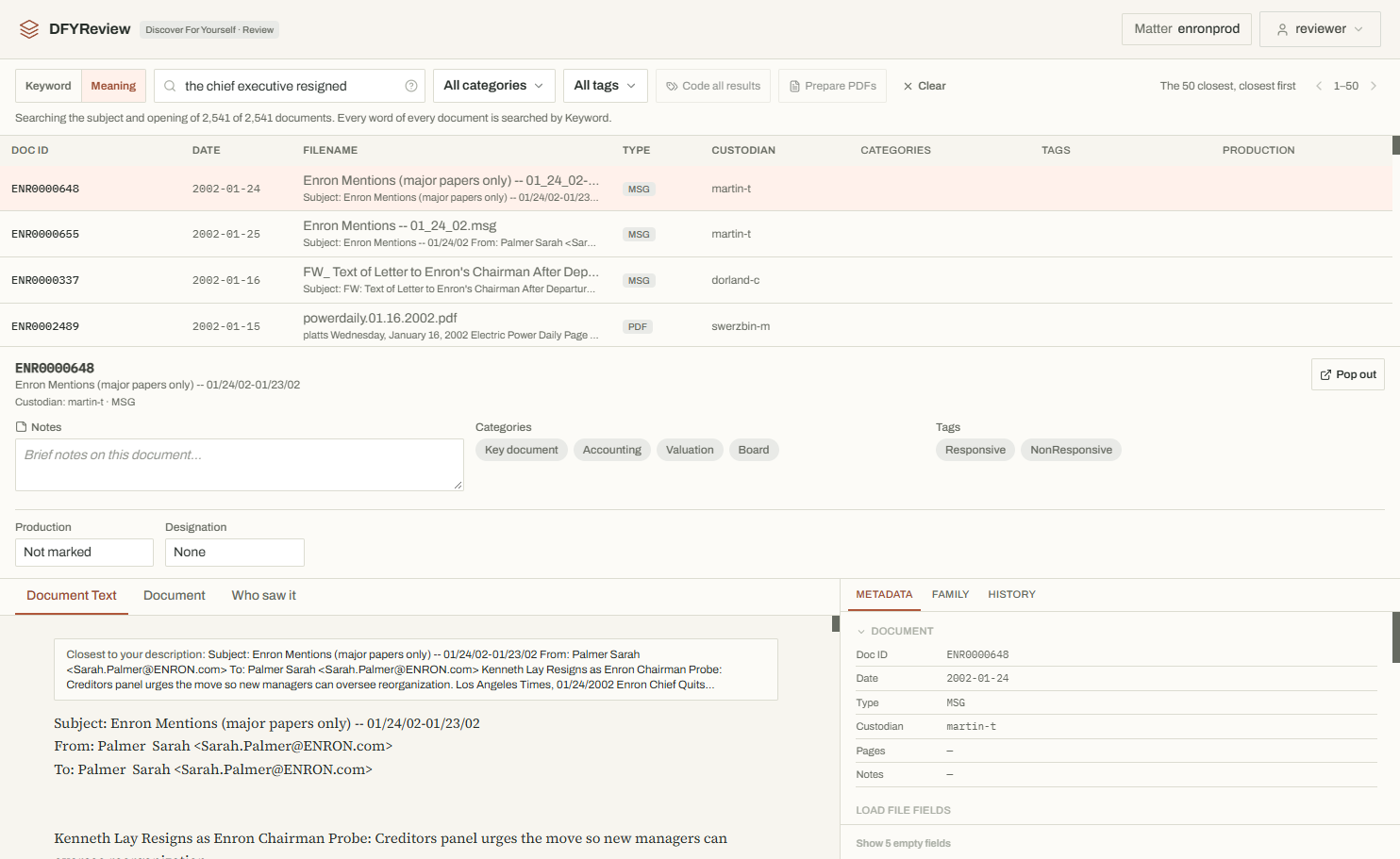
When the words aren't known, describe what you're looking for in a sentence. The documents closest in meaning come first, each with the passage that matched.
Review and code
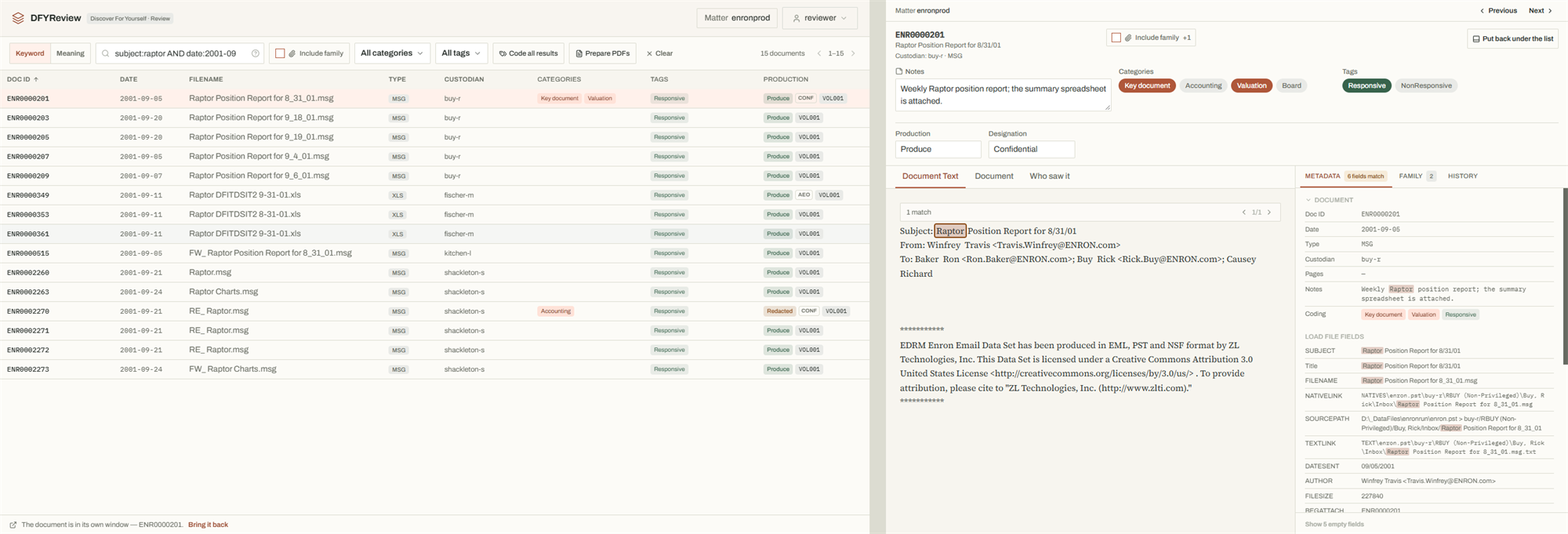
Read the produced pages, the text with every hit marked, and the native beside them. Code one document, its family, its identical copies, or every result of a search at once.
People
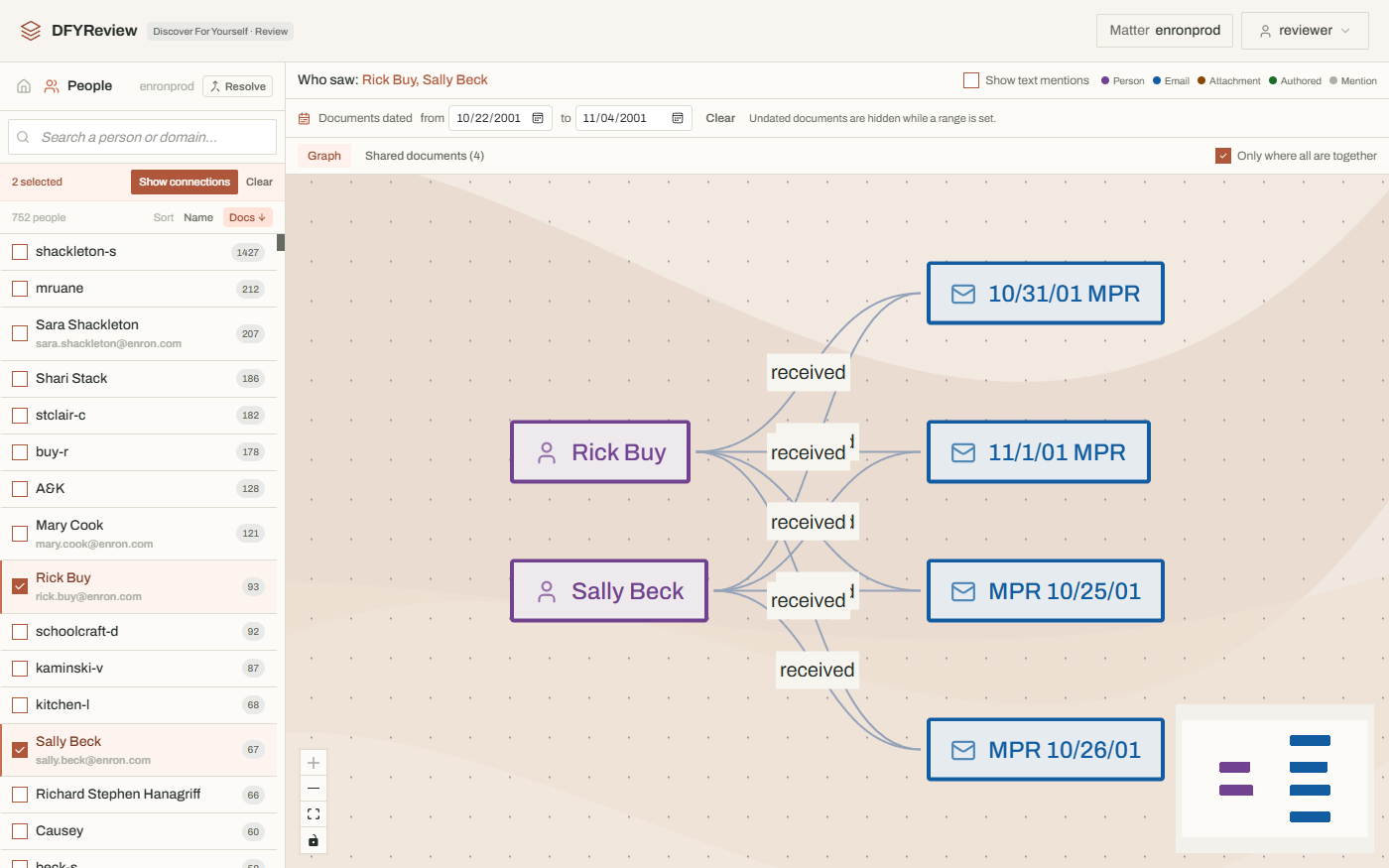
Everyone who sent, received or wrote the documents, and the documents that connect any two of them.
Produce
Mark what goes out as you review. DFYReview checks the marking, then numbers, stamps and writes the production, with its privilege log.
The application
What it looks like
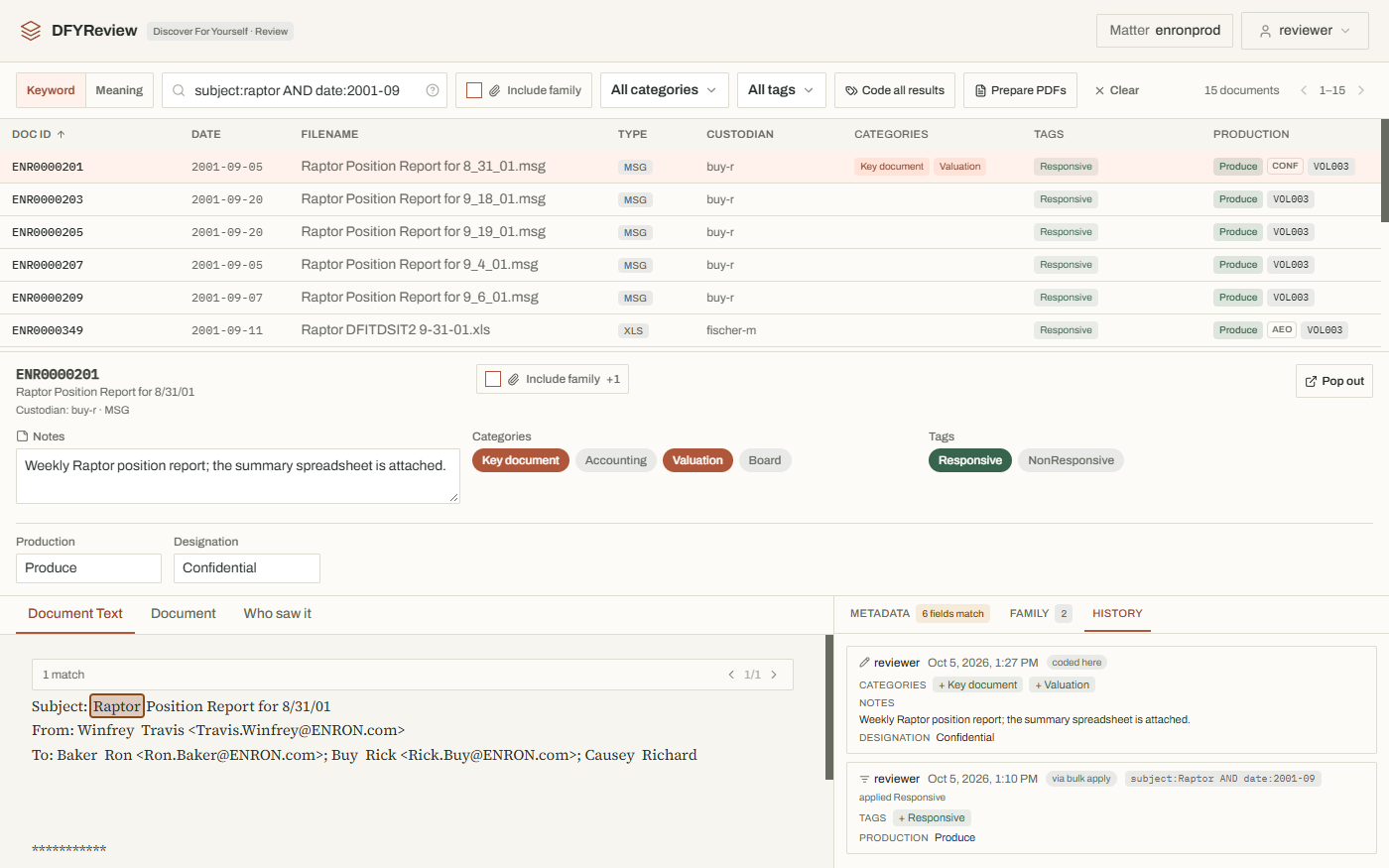
Every frame is from the public Enron email collection as DFYCollect produced it. Click a picture for the whole screen.
When it goes out
Producing, from the same screen
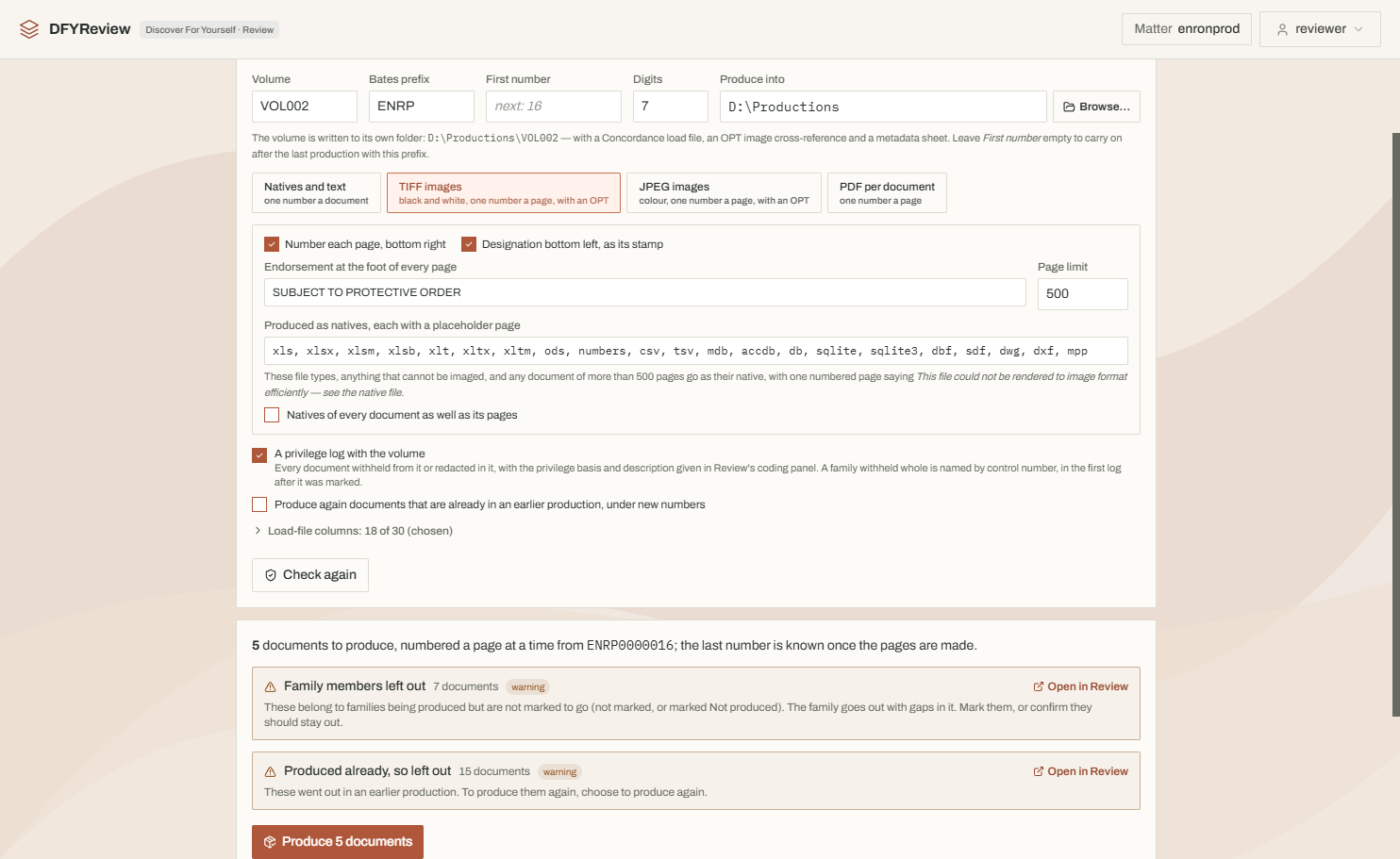
A production is checked before anything is written, and kept afterwards exactly as it went, so its numbers, checks and log can be given again.
Marked as you review
Produce, Produce redacted, Withhold as privileged or Not produced, each with a designation. Every matter starts with Confidential and Attorneys' Eyes Only, and the firm adds the levels its protective order uses, each with its own wording for the stamp.
Checked before anything is written
Family members left out, copies of a produced document marked differently, privileged documents without a description, natives missing or changed. Anything that would stop the production is fixed, or overridden with a reason that is kept.
Numbered and stamped
Natives and text, or TIFF, JPEG or PDF pages stamped with their number and designation. Families are numbered together, and a withheld attachment keeps its place with a slip sheet.
Redactions removed, not covered
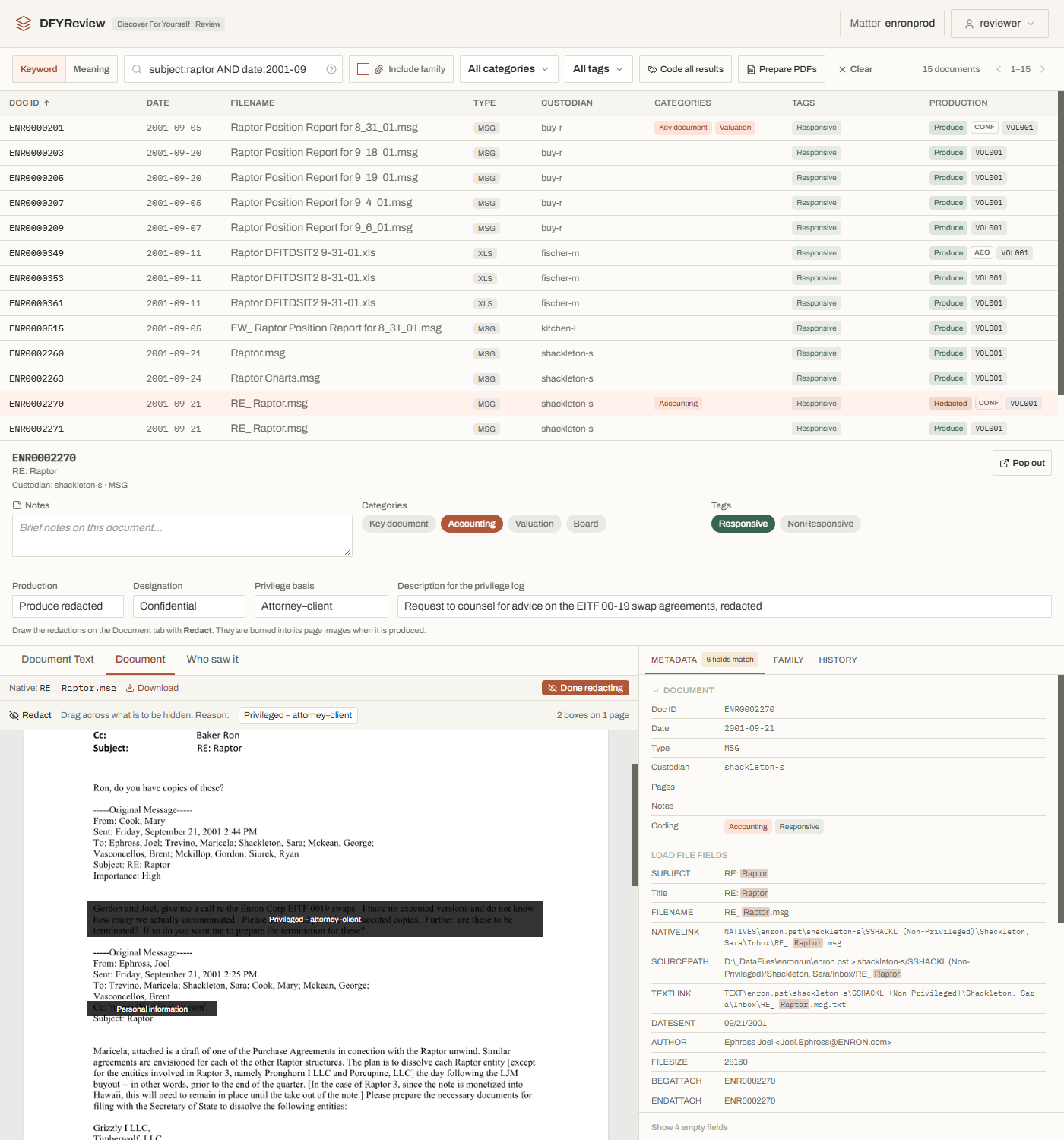
Drawn on the pages during review and burned into the images when produced. The text that goes out is read from the redacted pages, and the privilege log lists everything withheld or redacted.
What you can stand behind
The record it keeps
Who decided what, and when, without anyone having to remember.
Every change, with who and when
Each coding decision is kept with who made it, when and what it was before, and for bulk coding, the search that chose the documents.
A change made outside it shows
Each change is chained to the one before, so an edit made outside DFYReview breaks the chain, and it's checked every time the matter opens. Someone with the matter's files could rebuild the chain after an edit, so keep an exported record elsewhere: that shows what the record was when it was exported.
Who opened what, if you want it
An access log, off until it's switched on, records who opened each document. Switching it on or off is itself recorded.
One file when you need it
The whole matter's record — coding, history, access and productions — exports as a single file.
Current limits, stated plainly
DFYReview has no generative AI: nothing summarises, answers questions or writes for you. For AI-assisted review, see DFYAI. Beyond that, these are the limits worth knowing before you decide.
Windows only
PlatformDFYReview runs on Windows 10 and 11. A Windows 10 computer may need Microsoft's WebView2 runtime, and DFYReview says so when it starts.
One computer holds the matters
SharingMatters live on that computer's own disk, and colleagues work through it over the office network, so it has to be on while they review. A matter on a network folder is refused.
Meaning covers the opening
SearchSearch by meaning covers each document's subject and about its first 360 words. The whole text can be prepared too, but on a large matter that takes many hours. Keyword search always covers every word.
A licence for some features
LicenceShowing native files as pages, reading the text of scans, and producing page images require a licence.
No transcription
MediaAudio and video load and can be opened, but what is said in them isn't transcribed, so it can't be searched. DFYAI can transcribe them.
Very slow documents
ViewingA document that takes more than two minutes to turn into pages is replaced by a page saying it could not be shown as a PDF. Its text, metadata and native file are still there.
Evaluating it properly
Four guides, on request
Getting started, reviewing and coding, working together, and producing: DFYReview as it is today. Ask us for them, and we'll talk through what you're looking for.